August 30th, 2007 — Development
Dan Wahlin found out why the Firefox is responding so slow when it tries to connect to the localhost which for example is being used by the Visual Studio 2005 and Visual Studio 2008 integrated webserver. He writes:
It turns out that the slowness is caused by an IPv6 issue with DNS and can easily be resolved by turning IPv6 support off in Firefox while doing localhost testing. To make the change, type about:config in the address bar, locate the network.dns.disableIPv6 setting and double-click on it to set it to true. This does the trick for the Firefox localhost issue on Vista and everything is running fast again.
Good job, thanks Dan!
Source: Fixing Firefox Slowness with localhost on Vista.
August 6th, 2007 — ASP.NET
A quick example on how to use the new GroupTemplate which is being featured by the new ListView Control of the .NET Framework v3.5.
The ListView templates follow a strong hierarchy:
LayoutTemplate [root item, container for ListView rendering]
- GroupTemplate [Optional, required for tiled layout]
- >> ItemTemplate
- >> AlternatingItemTemplate
- >> EditItemTemplate
- >> InsertItemTemplate
- >> ItemSeparatorTemplate
- >> EmptyItemTemplate
- >> SelectedItemTemplate
- GroupSeparatorTemplate
and finally the EmptyDataTemplate (optional), which is only being displayed when there are no results for the DataSource. To be able to use the GroupTemplate you have to set a groupContainer and put the layoutTemplate inside the GroupTemplate Tag.
<asp:LinqDataSource ID=”LinqDataSource1″ runat=”server”
ContextTypeName=”DataClassesDataContext” TableName=”pics”>
</asp:LinqDataSource><asp:ListView ID=”ListView1″ runat=”server” DataKeyNames=”picID” DataSourceID=”LinqDataSource1″ ItemContainerID=”layoutTemplate” GroupItemCount=”2″>
<Layouttemplate>
<table id=”groupContainer” runat=”server”></table>
</Layouttemplate>
<GroupTemplate>
<tr id=”layoutTemplate” runat=”server”>
</tr>
</GroupTemplate>
<ItemTemplate>
<td>
<a href=”<%# Eval(“picFileName”) %>”> a <%# Eval(“aspnet_User.UserName”) %></a>
</td>
</ItemTemplate>
</asp:ListView>
By using the GroupTemplate you can produce tiled layouts which are e.g. needed for Image Galleries. However, as stated earlier you can only set a GroupItemCount at the moment, it would be great if we could get more options here for the final Release.
Side note:
The GroupSeparatorTemplate is displayed at the end of each GroupTemplate except the last one. The ItemSeparatorTemplate is displayed at the end of each ItemTemplate except the last one. The EmptyItemTemplate is displayed for filling up dummy columns when e.g. building a xhtml layout.
August 5th, 2007 — ASP.NET
I just finished my first fully driven LINQ ASP.NET Page in one of my Projects by using the LINQDataSource and ListView. Let’s have a quick look at the Code.
The LINQDataSource:
<asp:LinqDataSource ID="LinqDataSource1" runat="server"
ContextTypeName="sqlGFDataContext" EnableDelete="True" EnableInsert="True"
EnableUpdate="True" OrderBy="commentID desc" TableName="gf_game_comments" OnDeleted="lvComments_OnDeleted">
</asp:LinqDataSource>
The ListView Control:
<asp:ListView ID="lvComments" runat="server"
DataSourceID="LinqDataSource1"
ItemContainerID="layoutTemplate"
DataKeyNames="commentID"
InsertItemPosition="None">

<Layouttemplate>
<div id="layoutTemplate" runat="server" />
</Layouttemplate>

<ItemTemplate>
Zu <%# Eval("gf_game.URL") %>"><%# Eval("gf_game.Title") %> von <%# Eval("aspnet_User.UserName") %> am <%# Eval("commentDate") %><br />
<%# Eval("Comment") %>
<asp:Button ID="Button1" runat="server" CommandName="Edit" Text="Edit" />
<asp:Button ID="Button2" runat="server" CommandName="Delete" Text="Delete" />
</ItemTemplate>
<AlternatingItemTemplate >
<%# Eval("UserID") %>
<%# Eval("Comment")%>
<asp:Button ID="Button1" runat="server" CommandName="Edit" Text="Edit" />
<asp:Button ID="Button2" runat="server" CommandName="Delete" Text="Delete" />
</AlternatingItemTemplate>
<EditItemTemplate>
Comment: <asp:TextBox  runat="server" id="txtComment" Text='<%# Bind("Comment") %>'></asp:TextBox>
<br />
<asp:Button ID="Button3" runat="server" CommandName="Update" Text="Update" />
<asp:Button ID="Button4" runat="server" CommandName="Cancel" Text="Cancel" /><br />
</EditItemTemplate>
<InsertItemTemplate>
<asp:TextBox runat="server" ID="txtUserID" Text='<%# Bind("GameID") %>'></asp:TextBox>
<asp:TextBox  runat="server" id="txtAbstract" Text='<%# Bind("Comment") %>'></asp:TextBox>
<asp:Button ID="Button3" runat="server" CommandName="Insert" Text="Insert" />
<asp:Button ID="Button4" runat="server"
CommandName="Cancel" Text="Cancel" /><br />
</InsertItemTemplate>
</asp:ListView>
And if you need to do some custom operations while the Delete Event is fireing you can hook it up really easy:
protected void lvComments_OnDeleted(Object sender, LinqDataSourceStatusEventArgs e)
{
var gc = (gf_game_comment)e.Result;
csFN.ReCalcUserFactor(Int32.Parse(gc.GameID.ToString()));
}
As you see you got access to the complete table object with all its data inside, it’s really comfortable.
All this stuff is almost working out of the box if you use the new LinqDataSource Control and enable support for Inserting, Updating and Deleting Data while binding the DataSource. It’s really amazing how easy this stuff got, you don’t even have to care about JOINS, LINQ is doing everything for you.
If you check the code on my ListView again you notice this Eval Code – Eval(“aspnet_User.UserName”) – I got access to this tablefield without writing any SQL Join. LINQ automatically checks the relations between your tables and sorts out the specific data. This could be another great step in productivity as you don’t have to take care of huge SQL Querystrings anymore.
More on this topic:
Scott Gu for setting up the ContextType (required for the LINQ DataSource): Binding UI using a LINQ DataSource
Rick Strahl for a quick Overview on the new Controls by using a SQLDataSource: ListView and DataPager in ASP.NET 3.5.
July 31st, 2007 — ASP.NET
Watch out if you use Gridviews which display links or specific HTML in some columns. Since I upgraded to the .NET Framework 3.5 on my servers my Gridviews had HTMLEncoding turned on by default.
So you have to turn it off now manually via HtmlEncodeFormatString=”False”. I didn’t notice that at first but a customer quickly reported the missing links in the Gridview – the columns displayed plain HTML Text instead of a link.
Just fyi..
July 28th, 2007 — ASP.NET
Now I’m really missing my CopyToHTML Plugin back from Visual Studio 2005 :o. Here is a little example on how to use the new ListView Control and DataPager of the .NET Framework 3.5:
<asp:ListView ID=”ListView1″ runat=”server” DataSourceID=”SqlDataSource1″ ItemContainerID=”DataSection”>
<layouttemplate>
StartLayout:<br /><br />
<div id=”DataSection” runat=”server”></div>
EndLayout!<br /><br />
</layouttemplate>
<ItemTemplate>
<div class=”usRevs”>
<div class=”criticscore”>
<%# DataBinder.Eval(Container.DataItem, “Rating”)%></div>
<div class=”criticreview”>
<div class=”quote”>
<%# DataBinder.Eval(Container.DataItem, “Title”)%></div>
</div>
</div>
</ItemTemplate>
</asp:ListView>
<asp:DataPager ID=”DataPager1″ runat=”server” PagedControlID=”ListView1″ PageSize=”4″>
<fields><asp:nextpreviouspagerfield ButtonType=”Button” ShowFirstPageButton=”True” ShowNextPageButton=”False” ShowPreviousPageButton=”False” /><asp:numericpagerfield />
<asp:nextpreviouspagerfield ButtonType=”Button” ShowLastPageButton=”True” ShowNextPageButton=”False”
ShowPreviousPageButton=”False” />
</fields>
</asp:DataPager>
<asp:SqlDataSource ID=”SqlDataSource1″ runat=”server” ConnectionString=”<%$ ConnectionStrings:LocalSqlServer %>”
SelectCommand=”SELECT [Title],[Rating],[Description],[Developer] FROM [gf_game]”></asp:SqlDataSource>
That’s it, here is how it looks:

However, there is one big downside of the DataPager: If you build a Website which needs to score in SEO matters you wouldn’t want to use the DataPager. As of now the links to the pages look like that:
javascript:__doPostBack(‘ctl00$ContentPlaceHolder1$DataPager1$ctl01$ctl02’,”)
A SearchEngine won’t be able to follow this link, which means you eventually run into problems if you want to get a heavy paged site indexed in a SearchEngine by using the DataPager Module in that kind of way.
Here’s how it would need to look like for e.g. page 2:
yoururl.com/pagedsite.aspx?p=2 or even better: yoururl.com/pagedsite.aspx/2/
The PagerData Control is really amazing but if it’s missing the SEO aspect I can’t use it for my public SEO oriented sites..
UPDATE: Here you can find a querystring based DataPager built by Polita Huff: click. Great!
July 28th, 2007 — ASP.NET
Be careful when you open an ASP.NET AJAX Project in Visual Studio 2008 Beta 2! VS2008 thinks it’s a .NET Framework 3.5 Project at first and you will run into problems when you try to use the new controls as the web.config settings are still pointed to the 2.0 Settings. I tried to modify the System.Web.Extensions entries in the web.config manually but forunately there’s a much easier way:
How to fix this: Go to the project properties and convert it back to a .NET 2.0 project. Hit OK and go to the project properties once again. Now choose .NET 3.5 project and it will correctly modify the web.config so you will be able to use the 3.5 tools.
This is a little bug in Visual Studio 2008 Beta 2 which will probably be fixed in the next release.
July 27th, 2007 — ASP.NET, Silverlight
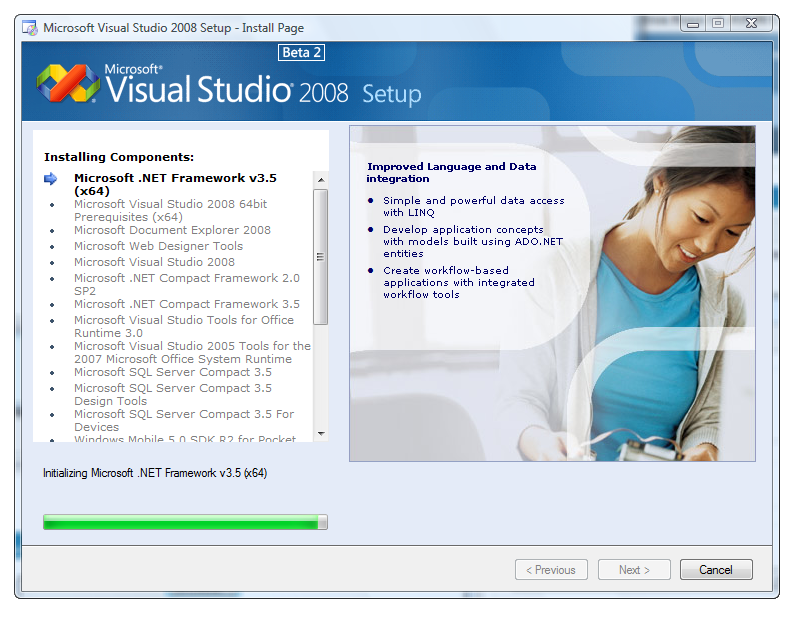
You can get the full release here and the smaller Express Edition here.
Some of the new features:
- VS 2008 Multi-Targeting Support
- VS 2008 Web Designer and CSS Support
- ASP.NET AJAX and JavaScript Support
- Language Improvements and LINQ
- Data Access Improvements with LINQ to SQL
- Lots of other improvements
Scott Guthrie added an important note for two things you should do after VS 2008 installation:
1) You should download and run this batch file. This takes only a few seconds to run, and fixes an issue we found earlier this week with the version policy of System.Web.Extensions.dll – which is the assembly that contains ASP.NET AJAX. If you don’t run this batch file, then existing ASP.NET 2.0 projects built with ASP.NET AJAX 1.0 and VS 2005 will end up automatically picking up the new version of ASP.NET AJAX that ships in .NET 3.5 Beta2. This will work and run fine – but cause you to inadvertently introduce a .NET 3.5 dependency in the applications you build with VS 2005. Running the batch file will change the version binding policy of the new System.Web.Extensions.dll assembly and ensure that you only use the new .NET 3.5 ASP.NET AJAX version with projects that you are explicitly building for .NET 3.5.
2) If you have ever installed a previous version of “Orcas” or VS 2008 on your machine (either Beta1 or one of the CTP versions), you need to reset your VS 2008 settings after installing Beta2. If you don’t do this, you’ll have an odd set of settings configured (some windows will be in the wrong place), and you’ll potentially see some IDE performance slowness. You can reset your settings by typing “DevEnv /resetsettings” on the command-line against the VS 2008 version.
Also note that this release features a Go-Live Licence, so let’s get ready for VS 2008 deployments 🙂

July 9th, 2007 — ASP.NET, Development
Quick note: Scott Guthrie confirmed the Release of Visual Studio 2008 Beta 2 in the near future:
VS 2008 Beta2 should be available for free download in the next three weeks. It will support a go-live license.
Sounds great, I usually don’t like using Beta Software that much, especially as IDE, but for proper and comfortable WPF / Silverlight development this is a must.
July 5th, 2007 — ASP.NET
With ASP.NET Ajax and ASP.NET v2.0 it is a piece of cake to create an asynchronous Webservice these days.
However, what if that needs about 45 minutes or even longer to complete? You know your users, many people will hit the button again after 10 minutes because they think it will be faster that way, or they accidently double click it. Just imagine people standing at a traffic light and hitting the “Get Green Button” like a thousand times. The result of this is an unwanted increase of the server load by starting an additional webservice process with every click.
Here is a very easy solution to pretend this, add this to the Button which fires the async webservice call, in my case Button1:
41 Button1.Attributes.Add(“onclick”, ” this.disabled = true; “ + ClientScript.GetPostBackEventReference(Button1, null) + “;”);
That’s it! The button will be disabled until the final PostBack is taking place. Of course your controls need to be in an UpdatePanel for this to work.
June 28th, 2007 — Administration
Was anyone able to get this running on Windows Vista 32Bit or Windows Vista 64Bit? The funny thing is, 32Bit throws a different Error than 64Bit.
While Vista 64Bit is complaining about some folder called DavWWWRoot, Vista 32Bit says no matter what the folder I would like to set up is invalid.
I found this fix here: Software Update for Web Folders but it didn’t help me, same error.
How did I setup the WebDAV Folder on Windows 2003 Server? Pretty straight forward in fact:
- Created a folder called WebDAV in my WWW root, in details: C:\root\domains\WebDAV
- My Website is located in C:\root\domains\WebDAV\domain.com
- I added a virtual folder to my website in IIS6, pointing to C:\root\domains\WebDAV and carrying the name WebDAV
- I disabled anonymous connections and just enabled Windows Authentication
- I made sure I got proper rights on that folder with my local Account
- I fired up “Computer” on my local PC, added a network ressource and filled in http://www.mydomain.de/WebDAV as path.
- I received an invalid folder error after typing in my credentials on Vista 32Bit, just using the domain without the WebDAV folder doesn’t help either.
- On Vista 64Bit I’m receiving another error includin something about a DavWWWRoot which is as far as I know the standard root directory for WebDAVs – I even tried calling my folder DavWWWRoot but it didn’t change anything
So I were not able to get it running on Vista x32 or x64. This seems to be a serious bug in Vista as XP seems to do just fine. I can even connect to the folder with IE7 after filling in the credentials, but no drag&drop supported anymore as you can’t open it as WebFolder in IE7.
Does anyone have a fix or workaround for that? It’s really pretty annoying, I can’t believe Vista implented a buggy WebDAV Gateway and noone cared about it after almost 6 months!
June 26th, 2007 — ASP.NET
Here is an very easy client-side javascript to check or uncheck all your checkboxes from your CheckBoxList at once:
<script language="javascript" type="text/javascript">function Select(Select){
for (var n=0; n < document.forms[0].length; n++) if (document.forms[0].elements[n].type==’checkbox’)
document.forms[0].elements[n].checked=Select; return false; }</script>
Select <a href="#" onclick="javascript:Select(true)">All</a> | <a href="#" onclick="javascript:Select(false)">None</a>
Just put it at the top of your ASP.NET page and you’re set. It won’t get any easier than that 😉
June 24th, 2007 — ASP.NET
A pretty simple piece of code drove me into hell lately:
270 if (!System.IO.Directory.Exists(Server.MapPath(“GamePics\\” + CatName + “\\” + URL)))
271 {
272 System.IO.Directory.CreateDirectory(Server.MapPath(“GamePics\\” + CatName + “\\” + URL));
273 }
Nothing special in fact. However, if you run Windows Vista this could result into a serious problem. The problem only occurs if the folders (in this case) “CatName” and “URL” didn’t exist before. Meaning, ASP.NET creates the CatName folder AND the URL folder in one go.
If that happens, you won’t have any access to the “URL” Folder – meaning the secondly created folder. You will not be able to delete or access it as it doesn’t have an owner and you will not be able to set an owner either.
I was able to get rid of the folder by logging into the Vista Administrator Account (you have to enable it first). I browsed to the location and the folder was already gone by then, maybe a restart will fix this problem, too.
A workaround:
– Never create more than one folder at the same time in one line.
– Create one folder and then make a seperate System.IO.File.Create call to create the second folder.
In my case this didn’t fire up the Access denied problem. I hope this post will help people facing the same weird problem someday.
May 23rd, 2007 — ASP.NET
The default forms authentication timeout value is set on 30 minutes. Increasing the ASP.NET Membership-Cookie Timeout is most easily possible by setting the timeout attribute in the web.config:
<authentication mode="Forms">
<forms name="ApplicationLogin" loginUrl="Login.aspx" path="/" protection="All" timeout="10080">
</forms>
timeout=”10080″ is meassured in minutes, meaning we got a timeout of 10080 minutes here.
If you don’t want to set the forms timeout value that high you have to give up on the standard login controls supplied with ASP.NET 2.0. Here’s what you have to do:
1) Create a custom Login Page aka Login.aspx, this is just an example:
4 <asp:Panel ID=”Panel1″ runat=”server” DefaultButton=”Button1″>
5 <div align=”center”>
6 User: <br />
7 <asp:TextBox ID=”TextUser” runat=”server”></asp:TextBox>
8 <br />
9 Password:<br />
10 <asp:TextBox ID=”TextPass” runat=”server” TextMode=”Password”></asp:TextBox>
11 <br />
12 <asp:CheckBox ID=”CheckBox1″ runat=”server” Checked=”True” />
13 <asp:Button ID=”Button1″ runat=”server” Text=”Login” OnClick=”Button1_Click” /><br /><br />
14 <asp:Literal ID=”Literal1″ runat=”server”></asp:Literal>
15 </div>
16 </asp:Panel>
2) Create a new class auth.cs and add the following:
43 public static bool CheckLogins(string UserName, string Password)
44 {
45 if (Membership.ValidateUser(UserName, Password))
46 {
47 return true;
48 }
49 else
50 {
51 return false;
52 }
53
54 return false;
55 }
75 public static bool CreateTicket(string UserName, bool StayLoggedIn, string Type, DateTime CookieTime)
76 {
77 FormsAuthentication.Initialize();
78
79 // Create a new ticket used for authentication
80 FormsAuthenticationTicket ticket = new FormsAuthenticationTicket(1, UserName, DateTime.Now, CookieTime, StayLoggedIn, Type, FormsAuthentication.FormsCookiePath);
81
82 string hash = FormsAuthentication.Encrypt(ticket);
83 HttpCookie cookie = new HttpCookie(FormsAuthentication.FormsCookieName, hash);
84
85 if (ticket.IsPersistent) cookie.Expires = ticket.Expiration;
86
87 HttpContext.Current.Response.Cookies.Add(cookie);
88
89 return true;
90 }
3) Now insert this into the button click event routine of Login.aspx:
43 public static bool CheckLogins(string UserName, string Password)
44 {
45 if (auth.CheckLogins(TextUser.Text, TextPass.Text))
46 {
47 auth.CreateTicket(TextUser.Text, CheckBox1.Checked, “Regged”, DateTime.Now.AddDays(350));
48 }
49 }
Note: “Regged” indicates the UserRole in this case. You just added a Cookie with a timeout of 350 days now. This was just a rough example, of course you still have to add some kind of notice if the login failed and so on.
May 22nd, 2007 — Silverlight
Now this is great, I found a Reflector Tool for .NET Silverlight sites on Ernie Booth’s Blog. It acts as a plugin for the well known Reflector of Lutz Roeder.
You just have to fill in the URL and get the assembly, javascript and root Xaml for the Silverlight Page.
Download: Reflector for Silverlight
May 22nd, 2007 — SQL
Just a quick note on Error Handling for people switching from SQL Server 2000 to SQL Server 2005. The new structured error handing mechanism provided in T-SQL 2005 provides a more simple way to handle exceptions in code. Let’s have a look at the following example which is catching a divide by zero error:
BEGIN TRY
SELECT 5/0
END TRY
BEGIN CATCH
PRINT 'Error Number =  ' + CONVERT(VARCHAR(10), Error_Number())
PRINT 'Error Message =  ' + Error_Message()
END CATCH
This is serving you with a well formed error message and a clean try/catch error handling as known from programming in .NET. Moreover these classes are available:
ERROR_NUMBER() – Number of error
ERROR_MESSAGE() – Error Message
ERROR_LINE() – Line on which error occurred
ERROR_PROCEDURE() – Procedure in which error occurred
ERROR_SEVERITY() – Severity of error
ERROR_STATE() – State of error
XACT_STATE() – Transaction state
Enjoy 🙂